
Candy AI: Create Anything
Candy Studio AppsArt & Design
3.544.00 Reviews
- Version
- 1.7.3
- Installs
- 50.00K
- Age Rating
- Teen
Screenshots
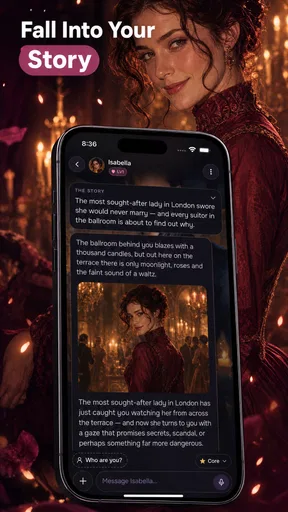


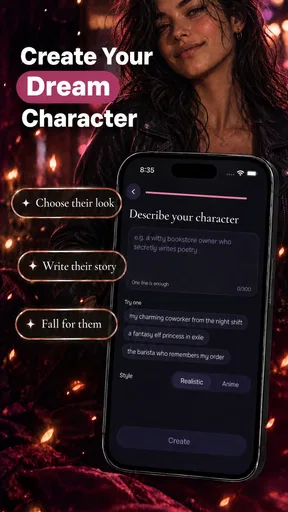
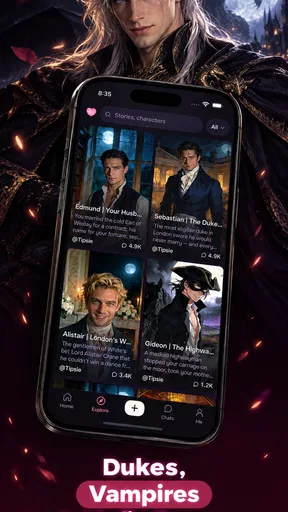
Our Review of Candy AI: Create Anything
 Analysis by Appyee
I approach Candy AI: Create Anything as an idea-making tool rather than a replacement for a drawing studio. Its central appeal is that AI can turn a small sketch into a more finished-looking image, giving people a quick way to explore visual directions without needing polished drawing skills. That can make a blank page less intimidating, though the result is best treated as a starting point to judge and refine, not an artwork that automatically matches what you pictured.
Why sketch transformation is the main draw
The most useful way to think about the app’s AI approach is as a creative prompt you provide with your own marks. A rough outline or a few suggestive lines can give the system something to interpret. That changes the experience from simply choosing an image effect to making a small visual decision first, then seeing where the transformation takes it. I find that distinction important: the sketch gives you a little authorship, while the AI supplies a leap in finish or style.
This makes the app approachable for someone who has an idea but lacks confidence in drawing. It can also help an experienced hobbyist break out of a familiar routine by turning a loose concept into something unexpected. The trade-off is control. If you need every edge, proportion, and color to land exactly as planned, an AI interpretation may feel like a detour rather than a shortcut.
How I would use it without losing the original idea
I’d begin with one clear subject and a simple sketch, rather than trying to pack a whole scene into the first attempt. A few distinct shapes give the AI room to interpret the drawing while leaving you with a meaningful way to compare the result against your intention. If the output misses the point, I’d adjust the sketch itself before adding more detail; extra lines can make an idea harder to read rather than more precise.
That small workflow is useful for testing alternatives. For example, I might sketch a character silhouette, inspect the transformed image, then make a second version with a changed pose or more readable outline. The point is not to expect a perfect result on the first try, but to use each pass to decide what I want the image to communicate. This approach also makes it easier to keep a personal touch in the process instead of accepting the first AI result as final.
Unleashing Your Inner Artist
First things first, Candy AI: Create Anything is all about unlocking your creativity. Whether you’re an experienced artist or just someone who likes to doodle, this app has something for everyone. The interface is sleek and intuitive, making it super easy to navigate. You won't find yourself lost in a sea of buttons and options. Everything is right where you need it.
One of the highlights is the variety of tools at your disposal. From brushes to color palettes, you’ve got everything to bring your imagination to life. The app’s AI-powered suggestions are a game-changer. It’s like having a creative assistant that helps you brainstorm ideas and refine your artwork. Trust me, you’ll be amazed at what you can create.
Features That Make a Difference
Let’s dive into some of the standout features. The app offers a unique tool called "Magic Art". This feature uses AI to transform your sketches into masterpieces. You draw a few lines, and the AI does the rest. It’s impressive how accurate and creative the transformations are. You’ll find yourself experimenting just to see what the AI comes up with next.
Another cool feature is the "Color Splash" option. This allows you to play with colors in a way that’s both fun and educational. You can learn about different color combinations and see how they affect the mood of your artwork. It’s perfect for those who want to experiment with their color schemes.
A more useful way to fit it into an everyday routine
A realistic use case is a quick creative break between other tasks. I might have a few minutes while waiting for a call, sketch a simple object, and use the transformation to explore a different visual direction. If the image sparks an idea, I can save that concept for a longer drawing session elsewhere; if it does not, the small experiment has still helped me clarify what I was aiming for. That makes the app more valuable as a low-pressure idea generator than as a place to complete every project.
For a personal card, a mood-board starting point, or a playful illustration for a message, the fast sketch-to-image loop can be enough. For a client deliverable, print-ready artwork, or a design that must follow exact proportions, I’d use a conventional drawing app with direct layer and editing control. Those tools are slower at producing a surprise, but they are usually a better fit when consistency and precise revisions matter more than spontaneous interpretation.
One practical tip is to decide what you want to learn from each try before drawing: the mood, silhouette, or color direction, for instance. Changing one aspect at a time makes the outcome easier to assess. If you change the subject, composition, and palette all at once, it becomes difficult to tell what helped or why a result feels wrong. This simple constraint turns casual experimentation into a more informative process.
Community and Collaboration
What’s really neat about Candy AI: Create Anything is the community aspect. You can share your creations with other users and even collaborate on projects. It’s like a social network for artists. This feature fosters a sense of community and can be incredibly inspiring. Seeing what others create can spark new ideas and push your creativity to new heights.
Plus, there’s an option to follow your favorite artists and learn from their techniques. It’s a great way to pick up new skills and stay motivated. You can also participate in challenges and contests, adding a layer of excitement to your creative journey.
Where the trade-offs matter
AI-assisted creation is not the same as having full manual control, and that matters most when an image needs to be repeatable. A useful result can still be hard to reproduce exactly, so I would keep the sketch and any promising versions organized if I planned to develop the idea further. I would also review an image carefully before sharing it: a polished appearance does not guarantee that every detail reflects the original intention.
The app is free to start, but it includes optional in-app purchases priced from $6.99 to $69.99 per item. I’d explore the basic experience before paying, then judge any purchase by whether it removes a real obstacle in my own workflow. Someone who only wants occasional sketch experiments may not need to spend anything; a regular user should consider whether the paid options are worth their personal use rather than assuming they are necessary.
Another choice is whether to create inside a dedicated art app or use a general-purpose AI image generator. The latter may suit someone who wants to begin with written prompts and does not care about drawing input. Here, the sketch-based approach is more appealing when I want my own rough shapes to influence the result. If my priority is precise brushwork, editable construction, or a dependable production workflow, a traditional art program remains the stronger choice.
Who is most likely to enjoy it
It should suit curious beginners, casual doodlers, and hobby artists who enjoy seeing a rough idea take an unexpected turn. It can also be a handy companion for someone who wants a quick visual warm-up before opening a more detailed drawing program. Candy Studio Apps has placed the product in the art-and-design space, and its average rating is 3.4 from 448 ratings, with 50K+ installs. Those figures suggest it has found an audience, but they are not a substitute for checking whether its creative style suits you.
The app is free, with optional in-app purchases, and its content rating is Teen. It was released on Nov 21, 2025, and the current version is 1.7.3, with Android 9 as the minimum operating system. I’d check that my device meets that requirement before planning to use it. More importantly, I’d approach it with a playful goal: explore, compare, and keep only the results that genuinely help.
It is less suited to people who dislike AI interpretation, need exact control over every visual element, or want a focused professional illustration workflow. If you are asking whether it can replace a full drawing app, my answer is no; if you want to know whether a rough sketch can become a useful creative nudge, that is where it makes more sense. I would also skip it if I had no interest in experimenting and simply needed a finished image on strict specifications.
Why You Should Give It a Try
So, why should you download Candy AI: Create Anything? Well, if you love art and want to explore new ways to express yourself, this app is a must-try. It offers a blend of creativity and technology that’s hard to find elsewhere. The AI features are not only innovative but also incredibly fun to use.
Whether you’re creating art for personal enjoyment or looking to build a portfolio, this app provides the tools and community support you need. It’s user-friendly, feature-rich, and most importantly, it makes creating art accessible to everyone.
In conclusion, Candy AI: Create Anything is a delightful playground for anyone interested in art. It’s got the tools, the community, and the AI magic to make your artistic dreams come true. So, why wait? Dive in and let your creativity shine!
Verdict
Strengths of Candy AI: Create Anything
- User-friendly interface for easy navigation.
- Wide variety of creative tools available.
- Quick rendering of designs and projects.
- Compatible with multiple file formats.
- Regular updates with new features.
Limitations of Candy AI: Create Anything
- Occasional glitches during complex tasks.
- Limited free version features.
- Requires a stable internet connection.
- High battery consumption on mobile devices.
- Large app size can impact storage.
Similar Picks in This Category
View All
Canva: AI Photo & Video Editor
Canva4.8

PENUP – Drawing-sharing SNS
Samsung Electronics Co., Ltd.4.5

Crafto
Kutumb App4.6

Sketchbook
Sketchbook4.1

ibis Paint X
ibis inc.4.5

Adobe Express: AI Photo, Video
Adobe4.6
Frequently Asked Questions
What is Candy AI: Create Anything?
Candy AI: Create Anything is an innovative app that allows users to generate creative content using artificial intelligence. Whether you're looking to design graphics, create text-based content, or explore new artistic expressions, this app provides a platform to unleash your creativity with AI-driven tools.
Is Candy AI: Create Anything free to use?
Candy AI: Create Anything offers a freemium model, where basic features are available for free, allowing users to explore the app. For access to advanced tools and premium content, a subscription or in-app purchases may be required. This structure provides flexibility based on your creative needs and budget.
What platforms is Candy AI: Create Anything available on?
Candy AI: Create Anything is available on both Android and iOS platforms. The app is designed to work seamlessly on smartphones and tablets, ensuring that you can create and edit your projects on the go, regardless of your device preference.
Does Candy AI: Create Anything require an internet connection?
While some features of Candy AI: Create Anything can be used offline, an internet connection is typically required to access AI-driven tools and resources. This ensures that users benefit from the latest updates, resources, and cloud-based AI processing for optimal performance.
How user-friendly is Candy AI: Create Anything for beginners?
Candy AI: Create Anything is designed with a user-friendly interface, making it accessible for beginners and experienced users alike. The app includes tutorials, guides, and support to help new users navigate and make the most of its features, encouraging creativity at all skill levels.
